
How to hide computer hard disk | Hide and show hard disk partition
In this article we will read that how to hide Hard Disk in Computer System. Computer hard disk is an important part of the computer system. Hard disk is used to store the data, without hard disk we can not imagine computer use.
The operating system is stored in the hard disk. When we turn on the computer the operating system load in the random access memory from the hard disk.
How to hide Hard Disk :
Step 1 : First go to desktop of the Computer System :
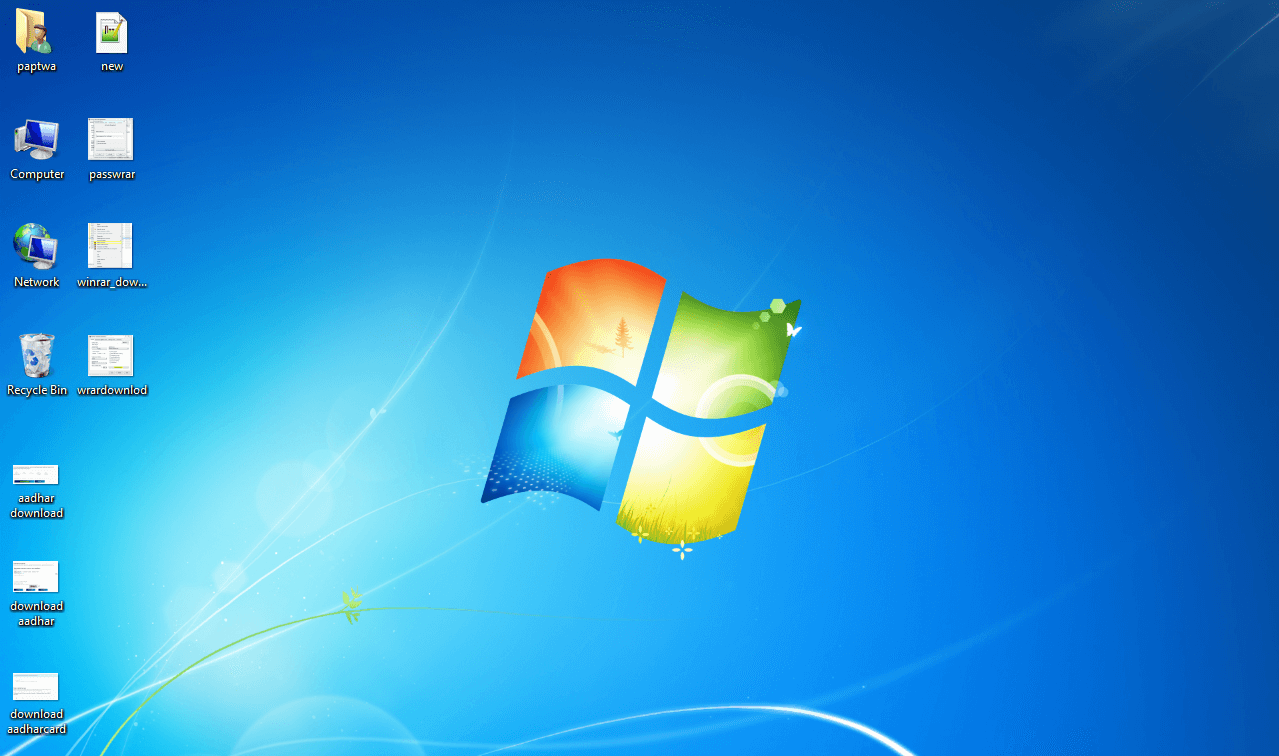
Step 2 : Right click on My Computer :
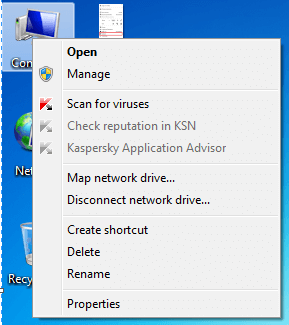
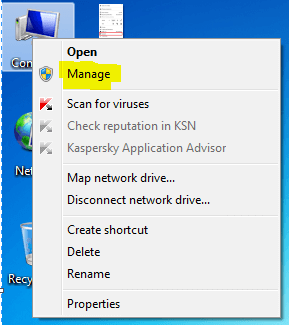
St. 3: Click on Manage.
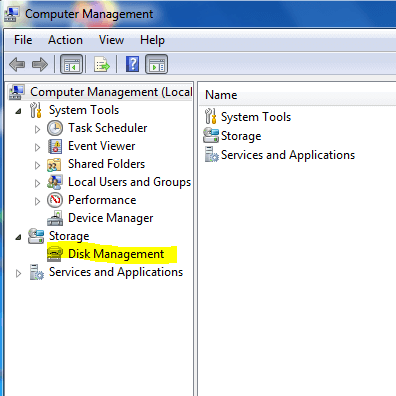
St. 4: After opening the Computer Manage Window click on Disk management:
St. 5: Right click on selected Disk Partition that you want to hide :
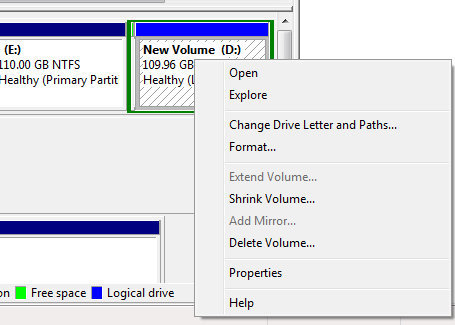
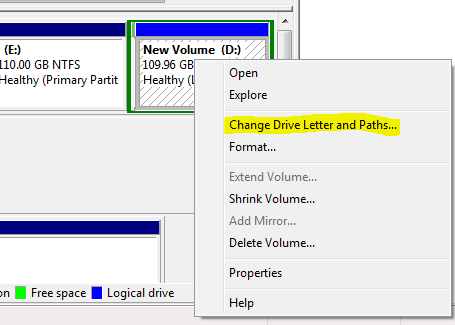
St.6 : Click on change Drive Letter and Path :
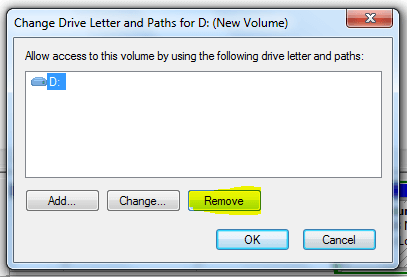
St. 7 : Click on Remove and OK.
How to show again :
Follow step 1 to 6 :
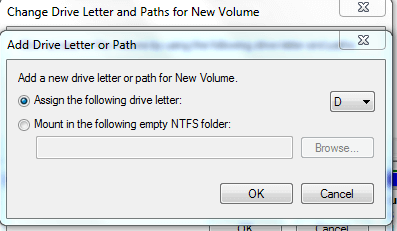
St. 7 : Click on Add.
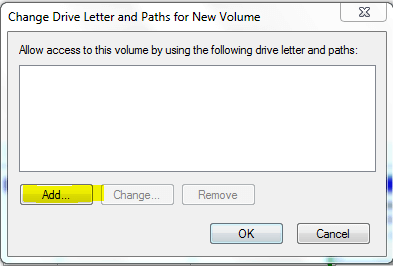
St. 8 : Assign the Letter to hard disk partition and click ok
Must Read : How to Protect Folder with Password
